Get Minecraft: Bedrock Edition
Download Minecraft Bedrock Edition from this page for your device.
Windows Store

Xbox / Microsoft Store
Download Minecraft Bedrock Edition from this page for your device.
Choose your platform below to download Minecraft Bedrock Edition. Skip unofficial "repacks" and "free APKs" from third-party forums — those packages can contain malware or fake Microsoft sign-in screens.
Download Bedrock Edition from this page using the platform buttons above. On Windows use the PC button; other devices use their matching platform button. Availability can vary by region, so confirm the listing for your device after you start the download.
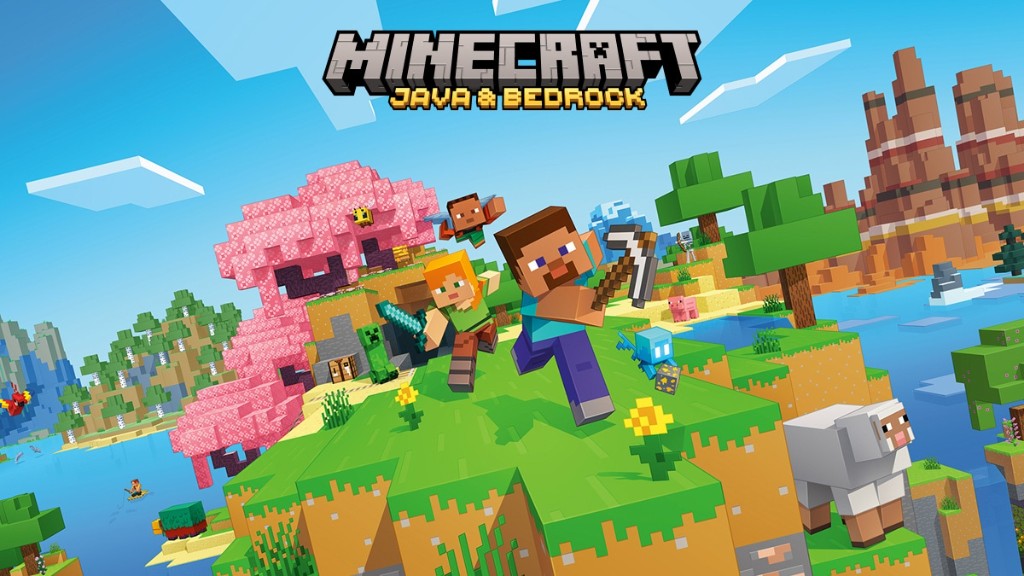
On Windows PC, Minecraft is sold as Minecraft: Java & Bedrock Edition for PC, which includes both editions under one purchase. When you launch, you choose which edition to open. Use Bedrock for cross-play with console and mobile friends; use Java for the Java modding ecosystem and Java servers. The two editions still use separate multiplayer networks, so friends must be on the same edition to play together.
For current requirements, check the PC listing before you download. As reviewed on 28 August 2026, it lists Windows 10 version 19041.0 or higher, ARM or x64 architecture, and 4 GB minimum memory. Ray tracing is optional and requires a DXR-capable GPU. Requirements can change, so the live listing remains authoritative.
Some platforms offer an official free trial, which is the only legitimate way to try Bedrock without buying it. Sites offering a "free full version", a cracked client, or an APK outside Google Play are not official and are not safe — see our trust & security page for why.
Download the official Bedrock Dedicated Server binaries to self-host multiplayer sessions for Windows and Ubuntu. For detailed protocol documentation and configuration instructions, visit the official server repository.
Extract the archive to a dedicated directory. Configure server.properties for port forwarding (default UDP 19132), then execute bedrock_server.exe.
Supported OS: 64-bit Windows 10 version 10.0.15063 or later, or Windows Server 2016 or later. Check the official page for current CPU, memory, and storage requirements.
Extract the archive and execute the server using the provided launch script to ensure dependencies load correctly:
LD_LIBRARY_PATH=./bedrock_server
Supported OS: 64-bit Ubuntu 22.04 LTS or later. Mojang states that other Linux distributions are not supported.
The Bedrock Dedicated Server (BDS) is free, official software for running a Minecraft world without a graphical client. It is aimed at people comfortable with basic server administration. The download, supported systems, and configuration reference are on the official server download page; the notes below summarise what that documentation covers.
The first time BDS runs, it creates a server.properties file. Editing that file configures the server. The following settings are documented in that file:
server.properties (the defaults are 19132 and 19133). If you want players outside your home network to reach a self-hosted server, you forward the matching port on your router and allow the server program through your operating system's firewall. This port configuration only applies to a server you host yourself — it is not something individual players need for joining a Realm or a friend's world.Because these values are documented in server.properties and the official server page, treat that page as the source of truth if a setting behaves differently than expected.
On a supported 64-bit Ubuntu host, the BDS package includes its own libraries alongside the binary, so it is typically started from inside the extracted folder. Many administrators keep the server running after they log out by launching it inside a terminal multiplexer such as tmux or screen, or by wrapping it in a service that can restart it automatically. Follow the current instructions in the download package's readme for the exact commands, as they can change between releases. Other Linux distributions are not supported by Mojang.
Console versions (Xbox, PlayStation, Switch) do not include an option to type in a custom server address, so they cannot connect directly to a self-hosted BDS. Console players join Realms or the featured servers listed inside the game. If you want console friends on a persistent world you control, a Realm is the officially supported option.
Before downloading server software, it is worth deciding whether you actually need it. Most groups of friends are best served by one of two options, and the right choice depends mostly on who is playing and how much setup you want to do.
You want the simplest path, especially if any players are on console. A Realm is hosted for you and stays online without your device. Standard Bedrock Realms supports the owner plus 2 other simultaneous players; Realms Plus supports the owner plus 10 and includes Marketplace Pass.
You are hosting a larger PC and mobile community, you want more control over settings and Add-Ons, and you are comfortable with basic administration and your own network. A dedicated server is free but shifts responsibility to you: you handle updates, backups, and any network configuration. Remember that console players cannot join a self-hosted server directly.
Players can only join when their game version matches the world or server they are connecting to. That applies to dedicated servers too: after the game updates, your server usually needs to be updated to the matching release before players on the new version can connect. Update the server promptly after each game update, and check the official download page for the current server build.
Whichever route you choose, keep backups of worlds you care about before major updates or before enabling experimental features, since experimental toggles cannot be turned off once a world uses them. Realms keep automatic backups you can restore from; for a dedicated server, copy the world folder while the server is stopped so the files are consistent.
The game client and the dedicated server come from different places, and knowing which is which keeps you safe.
Download the Bedrock game from this page using the platform buttons above. Downloads advertised as a "free full version", a "mod menu client", or a repacked APK from third-party forums can carry malware or fake sign-in screens that try to capture your Microsoft account details.
The Bedrock Dedicated Server is the one official download you install yourself, and it should only be taken from the official server page. It is server software, not a way to get the game for free, and it does not let consoles bypass their normal join options.
Turn on two-step verification for your Microsoft account, and only ever type your password into an official Microsoft sign-in page. No fan site — including this one — needs your Microsoft password, recovery codes, or payment details. Be especially wary of tools that promise free content or "boosts" in exchange for signing in. Our trust & security page explains our stance and how to spot unsafe downloads in more detail.


